
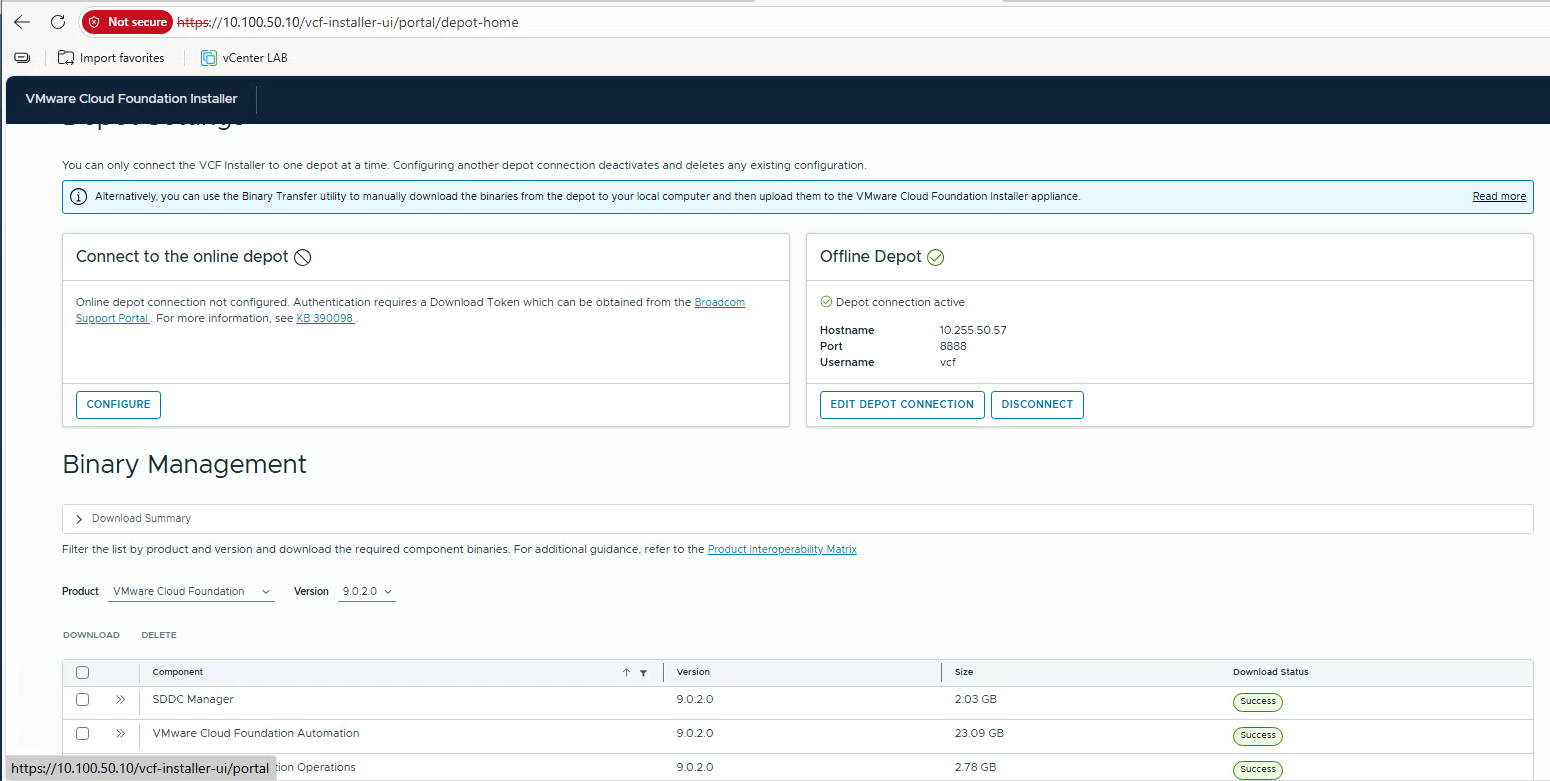
If you decide to deploy VMware Cloud Foundation (VCF) 9.0, one of the first tasks is to download the binaries you will use during the deployment. Broadcom provides two methods for doing this:
- Online Depot – Connects directly to the Broadcom portal and requires a download token.
- Offline Depot – Connects to a local depot hosted within your own environment.
Although the online method is simple and straightforward, certain circumstances may require the use of the offline method. In this post, I will explain exactly how to implement it.
First of all, download the VCF Offline Depot metadata from the Broadcom Portal (direct link here).

Next, download all required VCF binaries.

After downloading the files, create the following directory structure and move the appliance files into their respective folders.
Once this is completed, your local depot structure will be ready.

To make the depot accessible to the VCF Installer appliance, you must host the files on a web server.
There are several ways to provision a web server, but the simplest method, in my opinion, is to use the http_server_auth.py script.
Note: A special thanks to William Lam who created this script and provided a detailed explanation here.
PS:> python.exe .\http_server_auth.py --bind 10.255.50.57 --user vcf --password VMware123!VMware123! --port 8888 --directory DEPOT
In order to use a simple HTTP connection as our depot, we need to modify the file /opt/vmware/vcf/lcm/lcm-app/conf/application-prod.properties:
# echo 'lcm.depot.adapter.httpsEnabled=false' | tee -a /opt/vmware/vcf/lcm/lcm-app/conf/application-prod.properties# systemctl restart lcm
Finally, configure the VCF Installer appliance to point to your local web server and download the required binaries.


In my next article I will cover how to deploy the VCF Installer appliance.
Leave a Reply